Star Trek: 25th Anniversary Walkthrough by Avi Machness
Star Trek 25th Aniversery
complete solution (100%)
- Demon World – 100%
- Press the [s] key.
- Press the [w] key.
- Fight the Space Ship (if you suffer dammage – press D, and choose what should be repaired.
- After you win the battle: Press the [n] key.
- Choose:
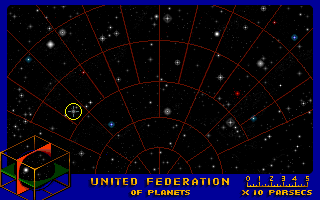
- Press the [o] key.
- Press the [t] key.
- Press the [c] key.
- Idyll
- Acolytes
- Demon
- Nikolasi
- Robert
- Prelate
- Pollux
- Press the ESC key.
- Press the [h] key.
- Press the [k] key.
- Choose:
 .
.
- After the man talks:
 on man: 1, 1, 1.
- After Mccoy talks: walk to bottom-right door.
- on man dressed in black.
 ,
,  ,
,  on bandaged man.
- Walk up.
- Walk up.
- When Klingons apear: , ,
 on each Klingon from left to right.
- After Enterpprise calls: on spock.
- , ,
 on bottom Klingon.
- , , on middle Klingon.
 on hand (neer bottom klingon).
- Walk up.
- , , on tree (right side of screen).
- on tree.
- Walk down.
- Walk down.
- Walk to bottom-right door.
- , ,
 on man dressed in black.
- Walk up.
- Walk to upper-right door.
- , , on man dressed in black.
- , , on mechine (to the right).
- Walk up.
- Walk to bottom-right door.
- , ,
 on bandaged man.
- on bandaged man.
- on man wearing blue (behind bandaged man).
- on man wearing black.
- Walk up.
- Walk up.
- Walk up.
- Walk up.
- , , on rocks.
- , , on rocks.
- , , on door.
- , , on ground (nothing).
- , , on door.
- , ,
 on rocks: upper left, upper right, middle left, bottom right.
- , , on man.
- , ,
 on man.
- on man.
- , , on panel (right side of door).
- , ,
 on panel.
- Walk down.
- Walk down.
- Walk down.
- Walk to upper-right door.
- , , on man wearing black.
- , , on work bench (middle of room).
- Walk up.
- Walk up.
- Walk up.
- Walk up.
- , , on panel.
- Walk up.
- , , on painting.
- , , on panel.
- , , on key hole.
- , , on ground.
- on panel.
- Set it to look like that:
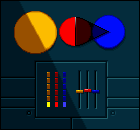 .
.
 .
.
- Answer: 2, 2.
- , , on creature.
- , , on creature.
- Walk left.
- Walk down.
- Walk down.
- Walk down.
- Walk to upper-right door.
- ,
 , computer (left side of screen).
- , , on box (right side of screen).
- , , on computer.
- , , on bottles.
- on man wearing black.
 on computer.
- on box.
- Answer: 2, 1, 2, 3, 4, 5, 6.
- on box.
- the leftmost object.
- the rightmost object.
- .
- Walk up.
- Walk up.
- Walk up.
- Walk up.
- Walk up.
- After Mccoy talks: ,
 .
.
- , , on creature.
- Answer: 1.
- , ,
 on creature.
- Hijacked – 100%
- Press the [n] key.
- Choose:
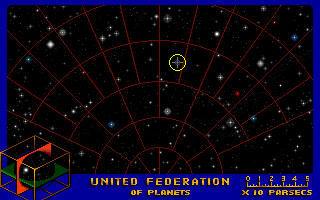
- Press the [s] key.
- Press the [w] key.
- Fight the Space Ship.
- Press the [o] key.
- Press the [s] key.
- Press the [w] key.
- Press the [h] key.
- Answer: 1, 2, 1.
- Press the [t] key.
- Press the [c] key.
- Masada (and copy the code from the computer)
- Elasi
- Elasi pirates
- Cereth
- Press the ESC key.
- Press the [h] key, choose: 2.
- Put in the cod:

- Press the [k] key.
- Choose: .
- , , on man.
- , , on man.
- on tool.
- Walk right.
- on lots of stuff (right side of corridor).
- Walk right.
- , , on two men.
- , , on panel.
- , , on bomb.
- , on wires.
- on panel.
- on bomb.
- on wires.
- Walk left.
- , , , ,
 .
.
- , ,
 . left to the door neer the ground (Kirk should walk there and bend an use torch),
- Walk down.
- , , on Teleporter’s Control.
- , on Teleporter’s Control.
- , , ., ,
 .
.
- , ,
 , ,
, ,  .
.
- , ,
 , on Teleporter’s Control.
- , ,
 on Teleporter’s Control.
- , on Teleporter’s Control.
- on middle man: 1.
- Love’s Labor Jeopadized – 100%
- Press the [n] key.
- Choose:
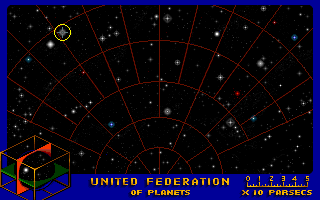
- Press the [s] key.
- Press the [w] key.
- Fight the Space Ship.
- Press the [s] key.
- Press the [w] key.
- Press the [t] key.
- Press the [c] key.
- Ark7
- Marcus
- Press the ESC key.
- Press the [h] key.
- Press the [k] key.
- Choose: .
- , (The leftmost person) on the computer.
- ,
 (The rightmost person) on the computer.
- , on the computer: 1, 2, 3, 4, 5, 6.
- , on .
- , on Captain Kirk.
- Walk up (right side of screen).
- on the cabinet (left side of screen).
- on the anti-gravity unit.
- Walk right.
- on the freezer (left side of screen, between two doors).
- on the virus culture.
- on the freezer.
- , ,
 on the right chamber in the upper machine.
- Walk up.
- on the wrench.
- on the door (to the right).
- , ,
 on N2 tank.
- , ,
 on N2 tank.
- , , on door (left side of screen).
- on the insulation.
- Walk down.
- , ,
 on the machine in the middle of the room.
- Walk left (upper door).
- , , on tanks.
- , ,
 on the red chamber (neer control panel).
- on the panel.
- on the bottle.
- on the panel.
- on the bottle.
- , ,
 .
.
- , , on tanks.
- , , on O2 tank.
- , ,
 where the O2 tank was.
- , , on tanks.
- on the panel.
- on the bottle.
- Walk right.
- , ,
 on the left chamber in the upper machine.
- , on upper machine.
- on the sample (right chamber).
- on the bottle (left chamber).
- Walk left (upper door).
- , ,
 on the red chamber (neer control panel).
- on the panel.
- on hypo-droxin.
- , , on tanks.
- , , on N2 tank.
- , ,
 where the O2 tank was.
- , , on tanks.
- , , .
- , ,
 on Spock.
- , , on Spock.
- Walk right.
- Walk up.
- , , on ventilation shaft (right side of screen).
- , ,
 on ventilation shaft.
- Walk down
- , on the ladder (right side of screen).
- , , on Romulans.
- , , on Romulans.
- , ,
 on Romulans.
- , on the ladder.
- Walk left (upper door).
- on the panel.
- on the bottle.
- Walk right.
- , on the ladder (right side of screen).
- Walk up.
- , , on Romulan.
- , , on Romulan.
- on men tied to chairs.
- , , on torpedo.
- on panel.
- on torpedo.
- on woman.
- on Captain Kirk.
- on Spock.
- on Guard.
- , , .
- on Romulan: 1.
- Another Fine Mess – 100%
- Press the [n] key.
- Choose:
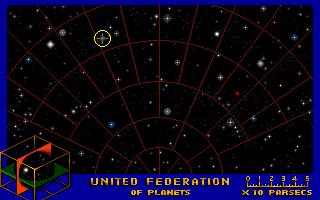
- Press the [s] key.
- Press the [w] key.
- Fight the Space Ship.
- Press the [s] key.
- Press the [w] key.
- Press the [n] key.
- Choose:
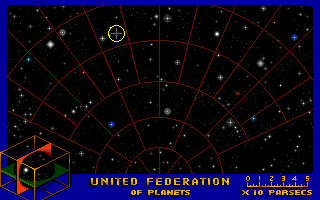
- Press the [t] key.
- Press the [c] key.
- Harlequin
- Harrapa
- Mudd
- Press the ESC key.
- Press the [k] key.
- Choose: .
- on man.
- , , on box with golden objects.
- , , on box with silver objects.
- on lends (on ground).
- on box with golden objects.
- on box with silver objects.
- on lends (on ground).
- , ,
 on wall.
- , ,
 , , .
, , .
- , ,
 on wall.
- Walk up.
- , on blue button (triangle buttons, left side of screen).
- , on purple button: 2.
- Walk up (left door).
- , , on big yellow ball.
- Walk up.
- on repair tool (to the right of the right chair).
- , , on panel.
- , on panel.
- Walk down (left side of screen – to yellow ball’s room).
- , on yellow ball.
- , , on yellow ball.
- , on yellow ball.
- , ,
 on yellow ball.
- Walk up.
- on panel: 1, 1.
- on panel: 2, 3.
- , on panel: 1, 2, 3, 4.
- Walk down (right side of screen – medic. room).
- NOTE: if Hurry isn’t here – walk back up, and back down.
- When Hurry is in the room: , on Hurry.
- green capsule (from bottom of shelves).
- , ,
 on panel (below shelves).
- , , on Hurry.
- Walk up.
- Walk down (left side of screen – yellow ball’s room).
- NOTE: if Hurry isn’t here – walk back up, and back down.
- When Hurry is in the room: 2.
- on Hurry.
- Walk right.
- Walk down.
- Walk down.
- NOTE: if Hurry isn’t here – walk back up, and back down.
- When Hurry is in the room: 2.
- on life support system.
- , ,
 on life support system.
- Walk up.
- Walk up.
- Walk up (right door).
- Walk up.
- on panel: 1, 3, 2.
- Feathered Serpent – 100%
- Press the [n] key.
- Choose:
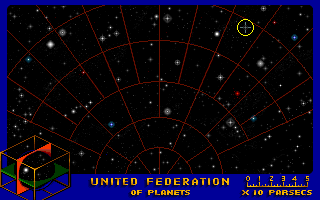
- When arriving: 2, 1.
- Press the [o] key.
- Press the [t] key.
- Press the [c] key.
- Zamphor
- Digifal
- Klingon
- Press the ESC key.
- Press the [k] key.
- Choose: .
- on man: 1, 2, 1.
- on the stone.
- , ,
 on the hole.
- on the snake.
- , , on vine.
- , , on vine.
- on vine.
- , on vine.
- , on vine.
- ,
 on vine.
- Walk left.
- Walk left.
- , ,
 on man.
- , , on Captain Kirk.
- on the knife.
- Walk left.
- Walk up (to the left).
- , , on water.
- , on left side of the log.
- Walk left.
- , ,
 on red crystal.
- Walk left: 2, 2, 3; 1, 1.
- Walk to middle of room: 1, 1.
- , , on door lock.
- , , : 2, 1.
- , , on the ground (right side of screen).
- on wooden stick.
- , ,
 on molten ground.
- , ,
 on electric creature.
- , on door lock.
- on green crystal.
- on green crystal.
- on green crystal.
- , ,
 on hole (left side of screen).
- , , on hole (left side of screen).
- , , on hole (left side of screen).
- Walk into yellow light: 3.
- That Old Devil Moon – 100%
- Press the [n] key.
- Choose:
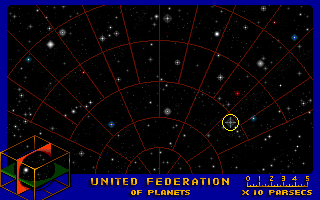
- Press the [o] key.
- Press the [h] key.
- Press the [t] key.
- Press the [c] key.
- Proxima
- Gazel
- Proxtrey
- Lucrs
- Sofs
- Scythe
- Base two
- Base three
- Base four
- Base ten
- Press the ESC key.
- Press the [k] key.
- Choose: .
- , , on ground.
- , , on statue (right-bottom side of screen).
- on the ground.
- Walk to the door.
- , on panel.
- Put in the cod:

- Walk up.
- , , on panel (left side of screen).
- , on panel.
- , on writting (on the door).
- , on buttons (to the right of the door).
- Put in the cod:

- Walk up.
- , , on door (up).
- , , on lock.
- Walk right.
- , , on computer.
- , , on panel.
- on box.
- on wire.
- , on panel: 3.
- , ,
 on impression.
- , on panel: 1.
- on key card.
- Walk left.
- , ,
 on lock.
- Walk up.
- , , on missiles.
- , , on right computer.
- , , on middle computer.
- , , on left computer.
- , , on right computer.
- , , on middle computer.
- , , on left computer.
- , ,
 on right computer.
- , , on right computer.
- , , on left computer.
- , , on right computer.
- , , on left computer.
- Vengeance – 100%
- 2.
- , on right body.
- , , on right computer station (sparkles).
- , , on the captain’s chair.
- Walk down.
- , , on woman.
- on woman.
- on woman.
- , , : 1; 1, 1, 2.
- Press the [s] key.
- Press the [w] key.
- Fight the Space Ships:
- Press [3].
- Save your game.
- Destroy the fake Enterprise.
- Press [0].
- Repair everything.
- Press [3].
- Destroy the other two ships.
The End !!! – 100 %
This File have been written by Avi Machness.
for corrections / additions / comments please contact
me at:
Note: if you have points lists for any quest,
or can give me more points for this one,
please contact me ASAP.
Thanks, Avi
View this guide raw, exactly as the archive holds it