

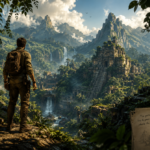
Adventure games draw us in with their intricate, often wittily told narratives and their penchant for puzzles that may or may not require a decent amount of lateral thinking to overcome. And for the millions of people who love the genre for these selling points, it’s easy to overlook the glaring foibles that even its most acclaimed games exhibit.
In many cases, the user interface is the main stumbling block; something that stands between the player and their ability to enjoy the experience, rather than adding to it. Let’s talk about where adventure games typically get the UI wrong and what they can learn from other interactive entertainment to improve.
Obscure Interactions
Back in the early days of point-and-click adventure games, interfaces were cluttered and complex. The first flurry of LucasArts titles, in particular, relied on choosing the right keyword from a board of always-available options to get the desired interaction. “Use X on Y” or “Give A to B” was clunky in its visual design and convoluted in its implementation.
As the genre evolved, improvements were made, at least on paper. The keywords were replaced by icons and action wheels, creating context-specific options for interacting with the gameworld. But again, players had to puzzle out what icons meant, and what the end result might be. With each game series, from Broken Sword to Grim Fandango, having its own bespoke UI and controls, intuitiveness was often unattainable.
Adventure games could learn from online casinos in unifying UI interactions. Anyone playing at Tikal Casino will be able to jump from slot to slot while still knowing how to interact with titles they’ve never encountered before, because the mechanics of interactivity are the same. Adopting a shared set of icons and prompts, rather than going over the top with options or veering too far in the other direction toward minimalism, irons out this common kink.
The Never-Ending Pixel Hunt
Another long-standing issue adventure gamers face when dealing with the UI concerns how interactive elements and points of interest are presented onscreen. Again, this is a problem with two extremes, and finding a happy medium is tricky.
Back in the day, players were expected to scour the screen with their cursor in the hope of hovering over an item they’d missed. It’s arguably part of the charm, but it can be extremely frustrating if you’re trying to solve a puzzle and can’t because of an imperceptible pickup you missed several screens earlier.
Going too far in the other direction, and having all possible interactive elements highlighted at all times, isn’t appealing either. The middle ground, perhaps using clues baked into the dialogue or audio hints rather than glaring visual pointers, is preferable. It’s something that’s done well in games like Dark Souls and the Zelda franchise, where the design of the world funnels players towards their next destination, without needing to signpost it distractingly.
So, there are certainly interface imperfections in adventure games, old and new, that players have to be prepared for whenever they launch the next title in their library. That said, aspiring developers do have solutions available, if only they’re willing to adopt them.

Leave a Reply