Review: Tex Murphy: Overseer
|
Tex Murphy: Overseer Publisher: Access Software Incorporated By Audrey Wells 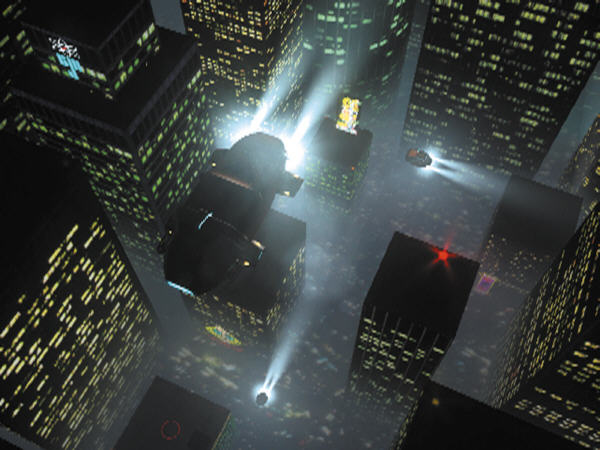 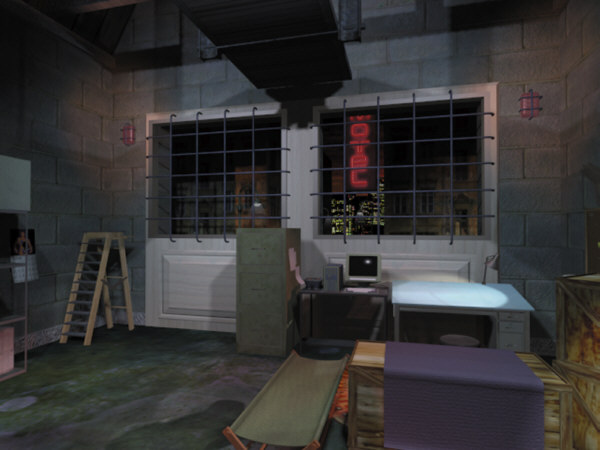 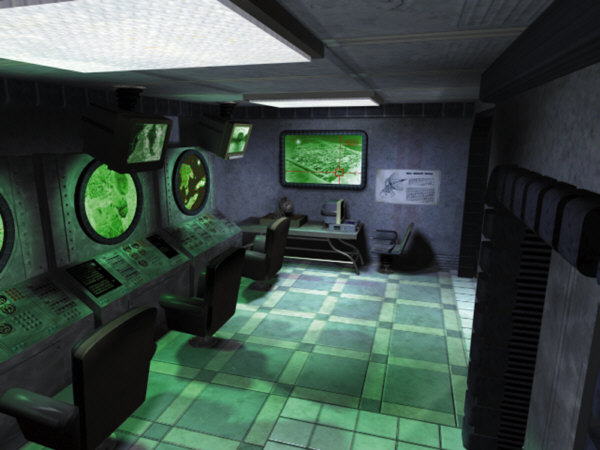 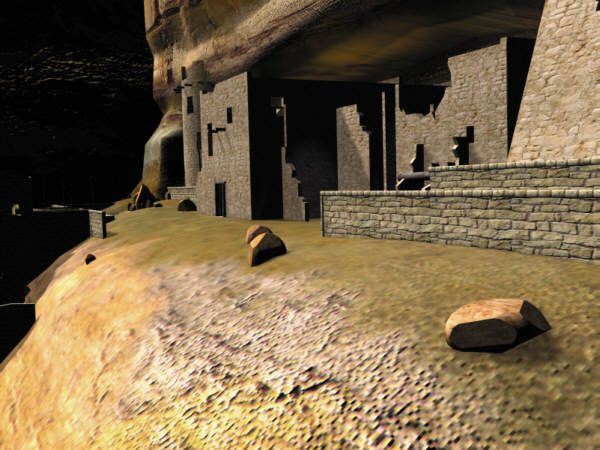 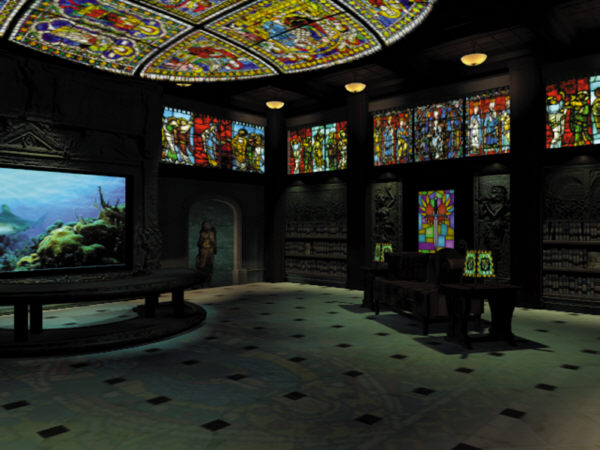 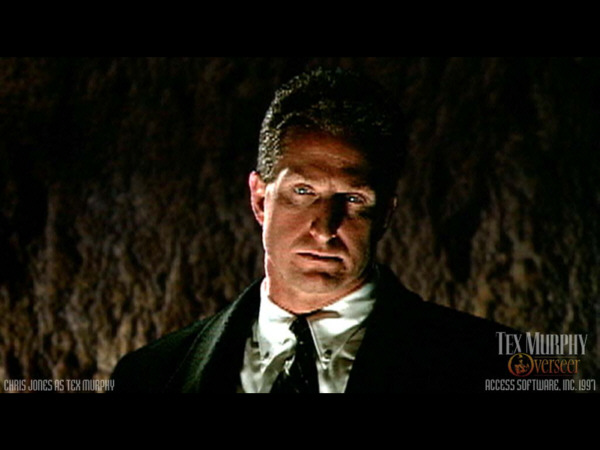 |
Tex Murphy: Overseer, the fifth installment in the Tex Murphy series, has a very intriguing and engaging plot. In fact, it’s probably one of the best plots I’ve seen to date. (And guess what, Overseer’s ending certainly leaves plenty of room for a sequel!) In Overseer, the actual gameplay takes place in the past, as Tex recounts the story of his first case to his girlfriend Chelsee. I’m relatively certain that these events are a rehash of the first Tex Murphy game, Mean Streets (released in 1989). However, this didn’t affect my experience, as I’ve never had the chance to play the original. The story starts out relatively small–Tex is a rookie P.I. in the year 2037 (remember, this is the past in Tex’s world) and has just gotten his own office. As he waits for his first case, he fritters away the time with a game of Parcheesi. Suddenly, the office door opens and the ravishing Sylvia Linsky walks in. She’s convinced that her father Carl’s suicide was really murder, and she wants Tex to prove it. Anyway, to make a really long story short, what starts out as a small case with a smidgen of leads superbly develops into the uncovering of a huge conspiracy of dark secrets, murdered people, and a plan to control the world. The only negative side of the story is that it’s very linear–but nonetheless, I wholeheartedly enjoyed Overseer’s story. The plot receives a well-deserved A.
The graphics of Tex Murphy: Overseer are sure to differ from computer to computer. If you’re lucky enough to own a high-end machine, you’ll probably experience beautiful graphics. If you’re even luckier and own a much-coveted DVD drive, you’ll see higher quality video playback and won’t have to swap disks constantly. (The CD version contains five CDs.) Players with lower-end systems, such as me, will probably experience choppier animations, environments, and video. I ran Overseer on a Pentium 166, with 32 MB RAM and a 24X CD-ROM drive and was able to get away with interlaced video, a window size of 560 x 420, and a medium quality of texture. Though I was happy with the smooth video I received, I was disappointed with the “VR environments” in which most of the first-person gameplay takes place, as the pixels were occasionally enormous and scenes seen from windows or open doors leading into a new areas lacked depth. For the most part, though, the VR environment’s graphics on my lower-end machine were acceptable. On the plus side, the graphics enable you to be completely free in the environment in your search for clues. You can squat down to look under things, get on your tiptoes, tilt your head up and down, etc. This is necessary to find many of the objects, which may be hidden at the bottom of a filing cabinet drawer or under a bed. Video in Overseer is always used during expository and interrogation scenes. There’s certainly plenty of it, and it is relatively well done and sometimes even beautiful. The awe-inspiring cut-scene played when Tex first visits J. Saint Gideon’s mansion might even evoke a tear from some gamers, simply because it is so beautiful. Overall, the game’s graphics were decent and so receive a B.
The music from Overseer was never intrusive. I even found myself humming some of the tunes when I wasn’t playing the game, which certainly must be a good sign. Most of the music seemed to fit the environment. For example, when I was sneaking around in dangerous places and stealing things out of people’s pants, suspenseful music kept me on the edge of my seat. The voice acting was, for the most part, professional and convincing, with remarkable performances by Chris Jones (the series co-designer and producer) as Tex Murphy, Michael York as businessman J. Saint Gideon, Henry Darrow as fellow P.I. Sonny Fletcher, and Roger Davis as political candidate Robert Knott. Occasionally I felt that the responses of characters were forced, but overall I was very impressed. Many sound effects added to the atmosphere of the game, such as a speeder vehicle racing past Tex’s office window, etc. The music, voice acting, and sound effects category receives an A.
The puzzles in Overseer range from novel to worn out. A lot of the game’s “puzzles” involve finding and using the numerous passcards, passwords, and keys, which can sometimes get old, though it’s well worth the reward of a new lead or room to explore. Some of the puzzles involve combining inventory items in creative ways to advance, deciphering coded messages, or moving big objects to see what’s underneath or behind them. For any accomplished tasks, points are awarded. Aside from these things, there are also the real puzzles, which are usually timed in “Gamer” mode. (There’s another “Entertainment” mode, which offers the an online hint system, bypassing unwanted puzzles, and easier puzzles in general.) Don’t worry–when the timer runs out, you only get fewer points for finishing the puzzle. It’s easy enough to save before the puzzle until you get it right for all the points. Some of the puzzles are run of the mill, such as the listen-and-match-the-sound-tone type of puzzle. Some of the puzzles don’t seem to fit the plot very well but are nonetheless fun. Others are downright clever. For example, I especially enjoyed the puzzle in which Tex had to rearrange loose bricks in an unstable wall to make a perfectly square hole to crawl through. The underlying chess theme in Overseer added a nice touch. Don’t worry, no chess experience needed. I only think there should have been a few more puzzles. I don’t know about the rest of you, but I enjoy a good puzzle. Overall, the category of puzzles receives a B+.
Even though this is certainly a great game, no game comes without flaws. Access has a new patch out to fix some bugs and other errors. However, some flaws are “built” into the game. For example, often times I found that I was swapping disks just to look at an inventory item. The disk swapping isn’t too bad when it’s just between locations, though. The interface has a nice feature of putting a little green dot next to locations that are on the current disk, so you can visit them all in a streak if needed before you switch disks again. The interface is polished and functional, with side bar slide-outs for travelling, inventory, options, and navigation activated by moving the mouse to the corresponding edge of the screen. I also like that the game has in-game configuration settings. This includes separate music and other volume settings (so you can turn down only the music if it’s too loud), and other technical stuff, such as 3D sound on/off, etc. I didn’t get to experience the 3D sound, however, because of my technical limitations. Speaking of technical problems, this game has a crash potential. I estimate that the game crashed about six times during my 25 or so hours of play. I was expecting this since I’m using a lower-end machine. Even so, it’s only a minor problem, since the game conveniently saves your game before crashing. One other good feature of Overseer is that it offers subtitles in addition to the voices. Games should always have the option of subtitles. Kudos to Access Software. Overall gameplay was pretty smooth for me, as I only encountered sticky spots when I had missed an item from earlier. The interface and gameplay receives an A.
Despite a few little problems, Tex Murphy: Overseer is well worth the money. The extraordinary plot, combined with witty and professional voice acting, challenging puzzles, and immersive graphics result in another great adventure game from the Tex Murphy series. Overall grade is A.
Notes:
- The newest patch for Texas Murphy: Overseer is available at the Access homepage.
- Overseer can only use hardware acceleration on AGP graphics cards.
System Requirements:
CD-ROM Requirements:
133 MHz Pentium processor or better
Windows 95
16 MB RAM
Min. 640 x 480 video resolution, 2 MB video RAM required
16-bit multimedia sound card
4X CD-ROM
35 MB hard disk space
Keyboard, mouse, and speakersDVD Requirements:
133 MHz Pentium Processor or better with hardware MPEG-2
or 233 MHz Pentium Processor or better with software MPEG-2 (AGP recommended)
Windows 95
32 MB RAM
Mininum 640 x 480 video resolution, 2 MB video RAM required
16-bit multimedia sound card
DVD drive
35 MB hard disk space
Keyboard, mouse, and speakers